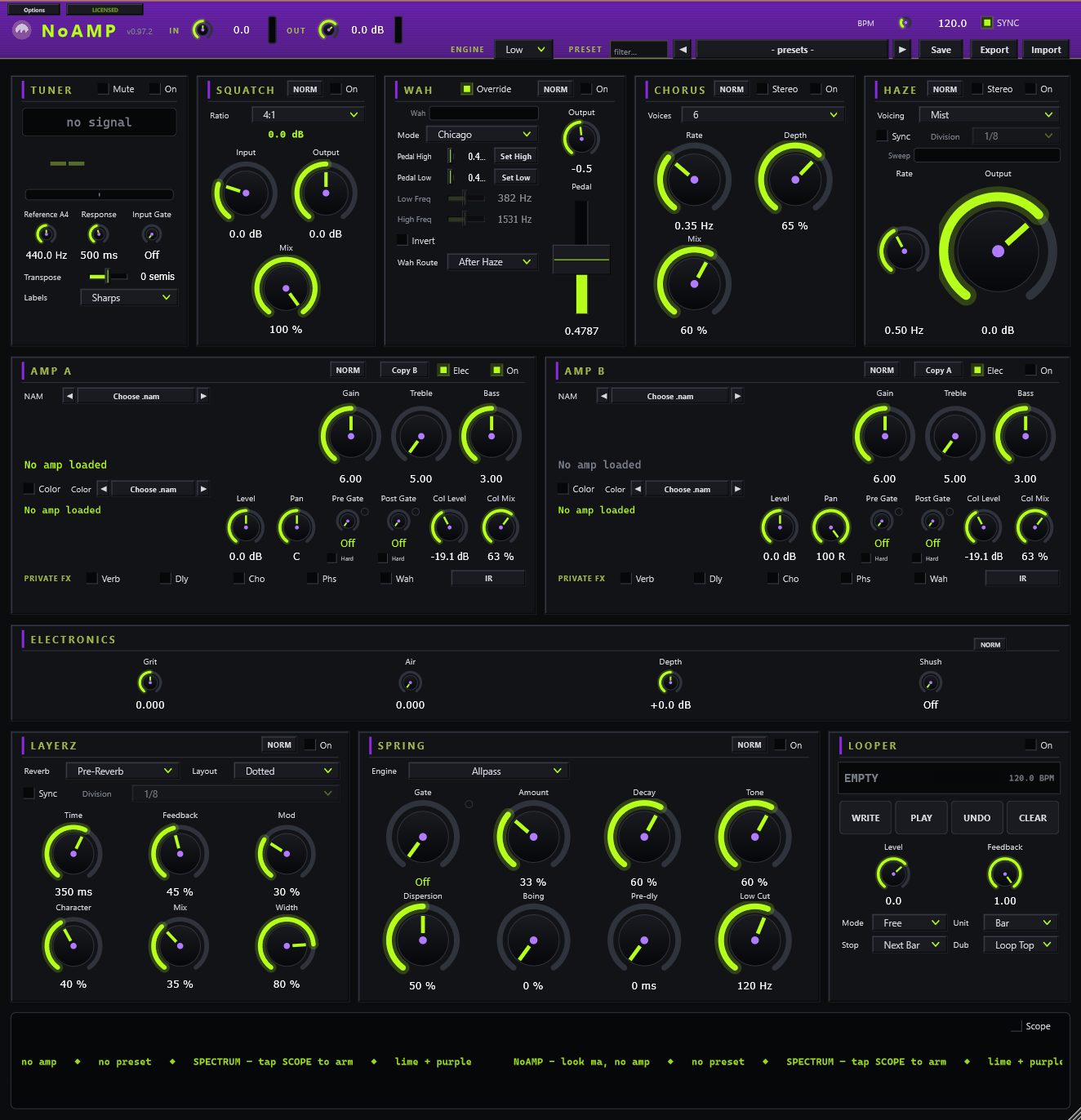
look ma, NoAMP!
A guitar rig for the synth-brained. The whole rig in one window, minus the amp. The amp is whatever .nam capture you load; there are thousands out there, free, made with Neural Amp Modeler.
Around it sits a real board: tuner, compressor, a wah with no heel or toe click, chorus, phaser, synced delay, a reverb with five engines (from springs to a cassette-worn Mist) and an infinite freeze, and a looper that behaves like the pedal on your floor, run from your actual MIDI hardware. One plugin. No chains.
And past the board: STIX, a drum machine; VOX, a vocal channel; MIX, a mixer for all of it; and GEN, modulators for almost any knob. All four come with NoAMP.
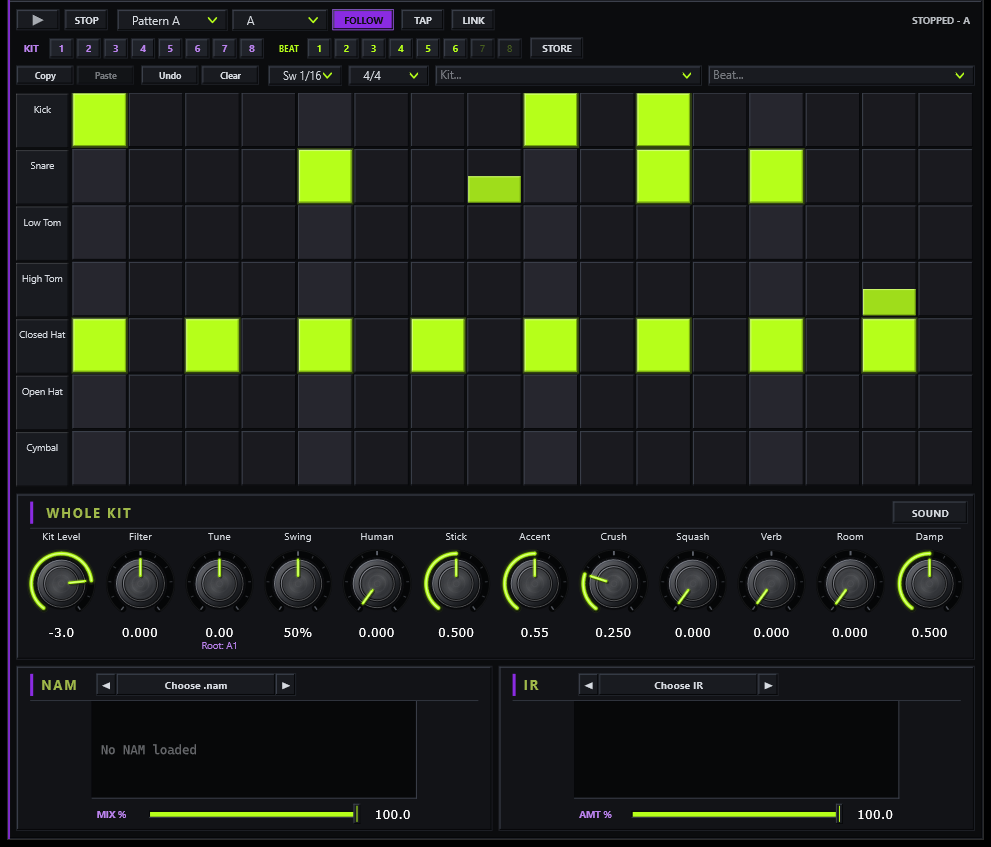
Seven drum voices, each with four synth models, that you can layer with samples: the synth tunes itself to the sample. Four patterns per beat, 15 factory kits and 63 factory beats in eight styles. Swing, and a Human knob so it never plays two bars quite the same. Tape and Width on the kit bus; its own console runs the whole kit through a capture and a room IR, and LINK starts it with the looper.
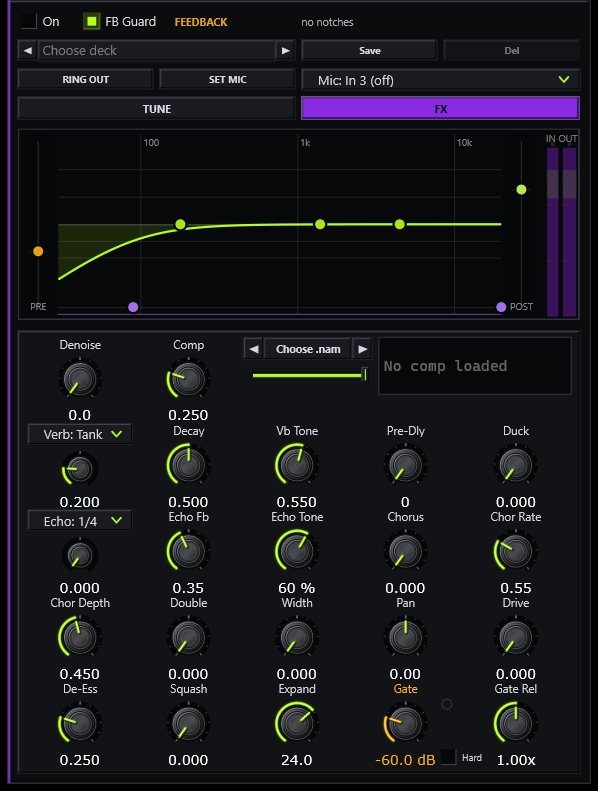
A channel strip for a mic on your interface: an EQ you drag on screen, one-knob compression, pitch correction with four harmonies, echo, reverb, chorus and doubling. RING OUT notches what rings in your room; FB Guard catches feedback before it runs away.
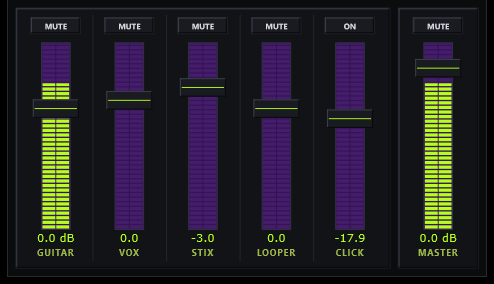
Six faders with meters: guitar, vox, STIX, the looper (HOOPER), click and master. Every fader and mute is MIDI-learnable, and presets never move them.
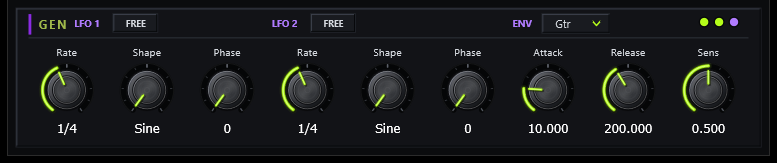
Two LFOs and an envelope follower. Right-click almost any knob on the board, map one, set the depth, and the knob moves on its own, synced to the board's tempo or free.
You bring the dirt too. Two capture slots for amps, a Color slot in front of each for drive and fuzz captures, cab IRs, and arrows that step a whole folder, so you can audition a pack without touching the mouse.
NoAMP is in final polish. Drop your email and we’ll ping you the moment it’s buyable, launch price and all. That’s the only thing this list is for.
No spam, no list-selling. One heads-up when it’s live.
$40. Or type LAUNCH at checkout while the promo lasts and it’s $10. One license, offline, yours forever, and updates are free, always. Not right for you? Refund within 14 days.
CheckoutStripe · card · instant license30 days, the whole thing, no card. One trial per email, ever.
Start the trialinstant license fileFull walkthrough with the cab-IR step: the NoAMP manual.
| NoAMP | the board: header, tempo, NORM / NERD, leveling, private FX, license |
| Toonz | tuner: strobe-first LCD, NORM / NERD readout, standard through 8-string |
| Wines | wah: nonlinear ZDF sweep and the Set Low / Set High pedal calibration |
| Squatch | compressor: FET-style squeeze, 4:1 to All, parallel mix |
| Shimmer | chorus: 2–6 detuned voices, dispersive top, mid/side spread |
| Haze | phaser: voiced allpass cascade with a chaos engine |
| Layerz | delay: note-value sync, layouts, mod, bit-crush trails, freeze |
| Springs | reverb: spring / FDN / IR engines and tempo-synced Freeze windows |
| Loopz | looper: the 4-switch cycle, quantized punch-out, multiply |
Your USB MIDI stomp goes silent until you replug it? That’s Windows putting USB to sleep, not your gear: turn off USB selective suspend (two minutes, step by step).
Ableton Live won’t MIDI-learn? Live doesn’t hand MIDI to effect plugins. Click Configure on the device panel, drag the knob you want in the plugin window, then map that panel knob with Live’s own Ctrl+M: full steps.
MIDI wah feels wrong at the ends? Calibrate it: heel down, SET LOW; toe down, SET HIGH: the walkthrough.